
Every kid has a story to tell, and Kidz Fun Art makes it easy to tell it as a comic book! With the Comics tool you can build a comic page panel by panel, draw a scene in each one, then zoom out to see the whole story come together.
See how it's done
Here's a quick video showing how to make a comic from start to finish.
Starting a new comic
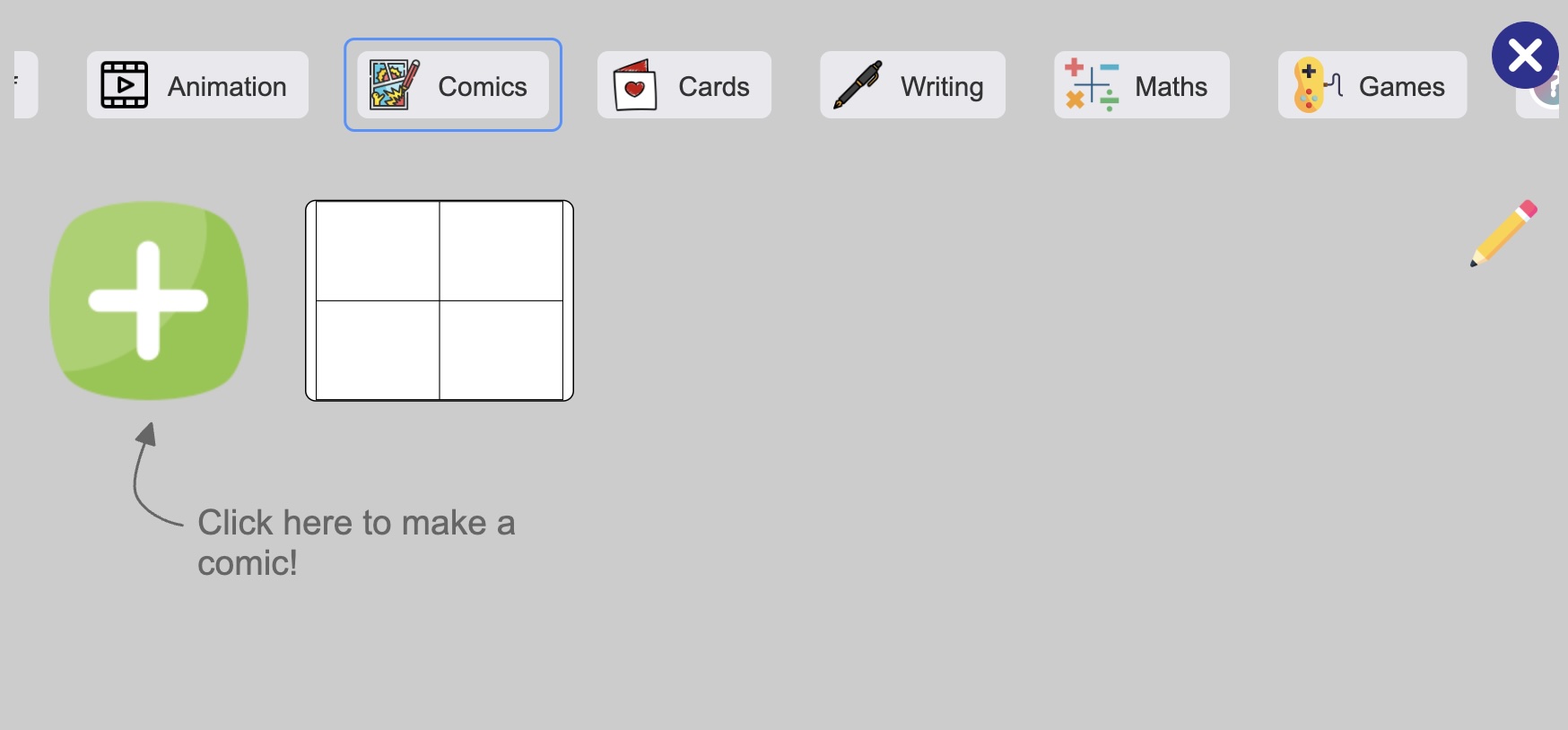
Open the image menu and choose the Comics tab, then tap to start a brand new comic. You'll get a blank page that's ready for your first panel.
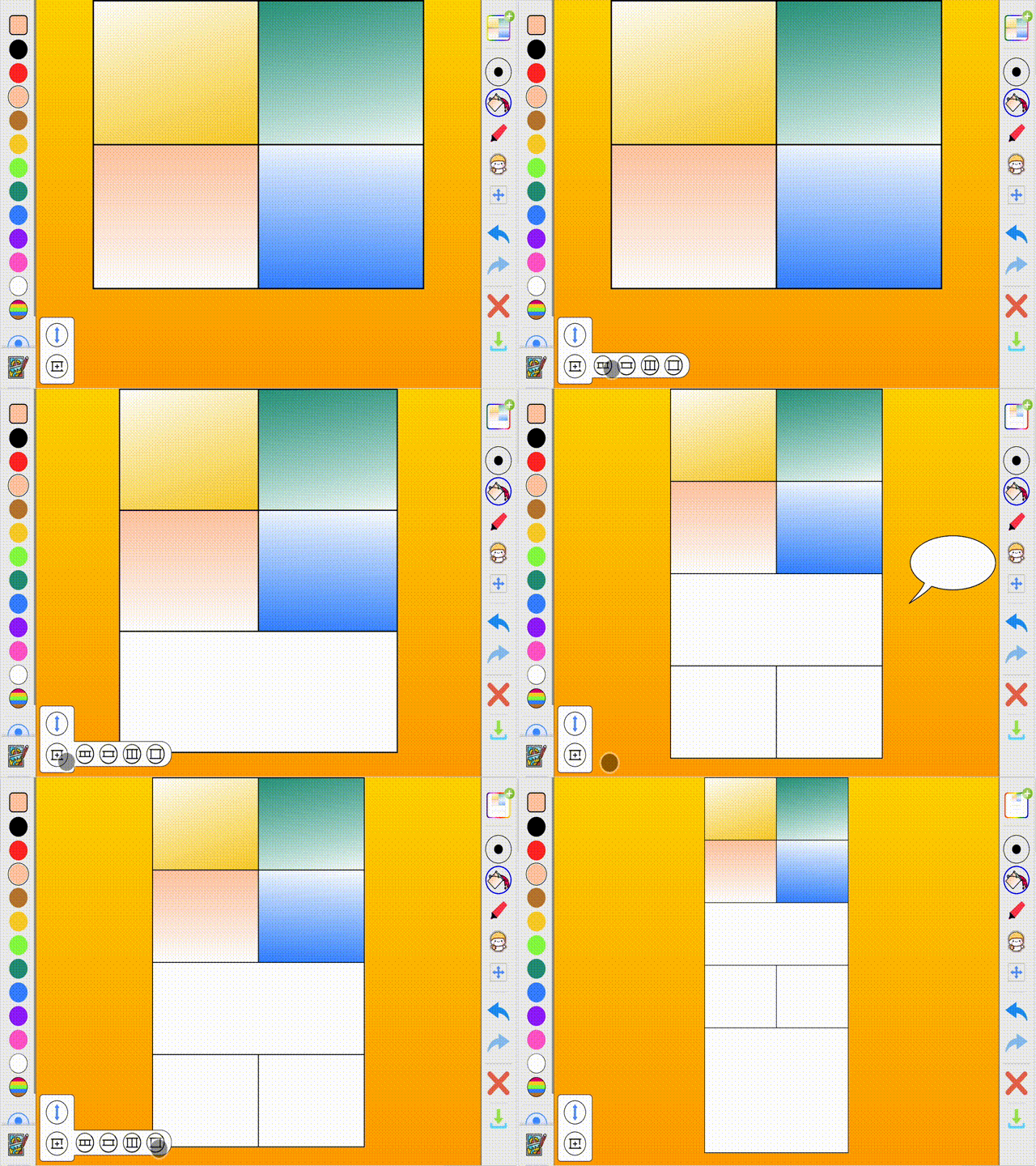
Adding panels
 to open the choices, then pick the shape you want:
- One large panel for a big, dramatic moment
- Two tall panels side by side
- One wide panel that stretches across the page
- Two small panels for quick back-and-forth action
Keep adding rows and your page grows as long as your story needs.
Drawing in your panels
 to step back and see the whole page.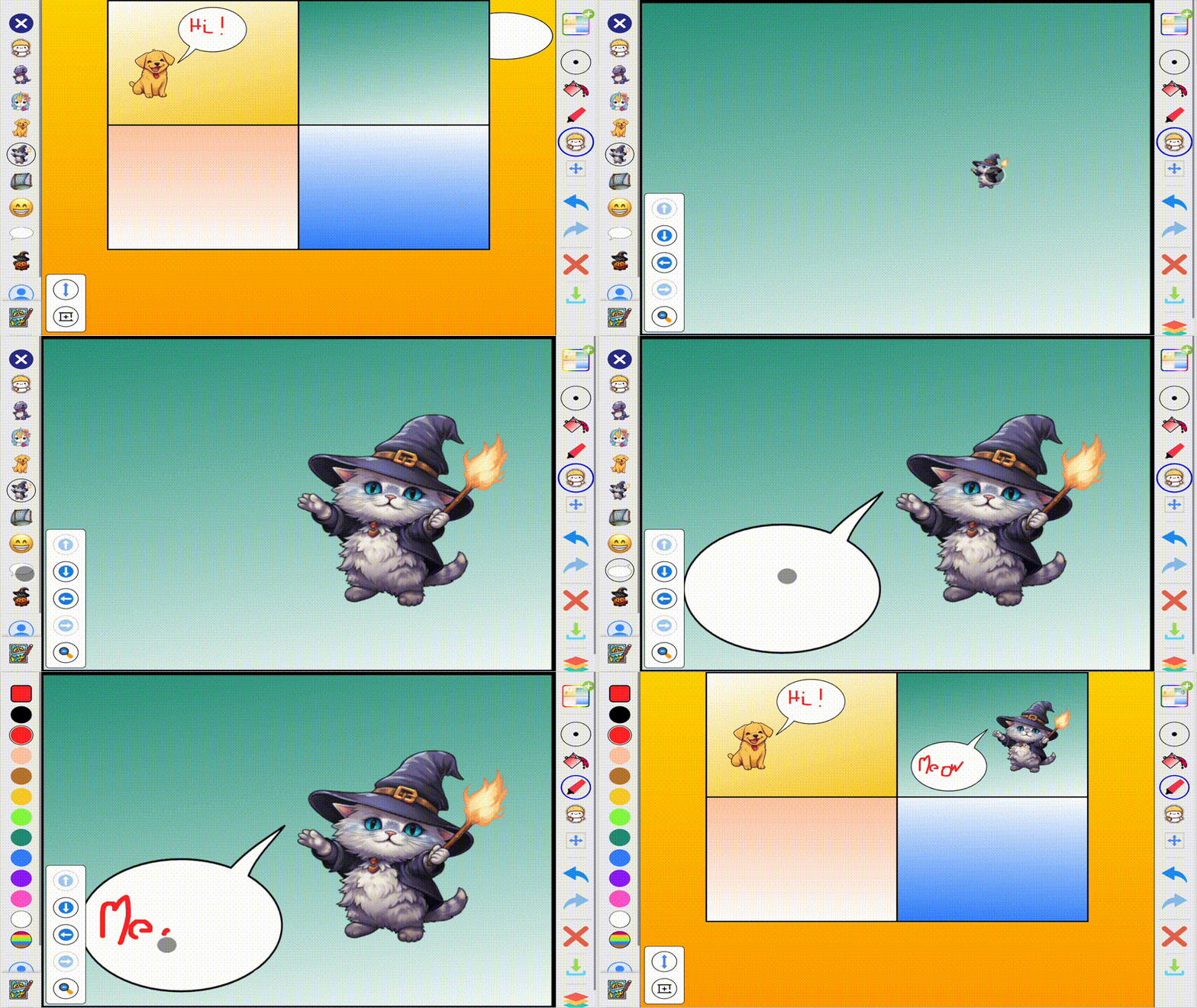
Rearranging your story
 and you can rearrange your story.
 to delete a panel you no longer need.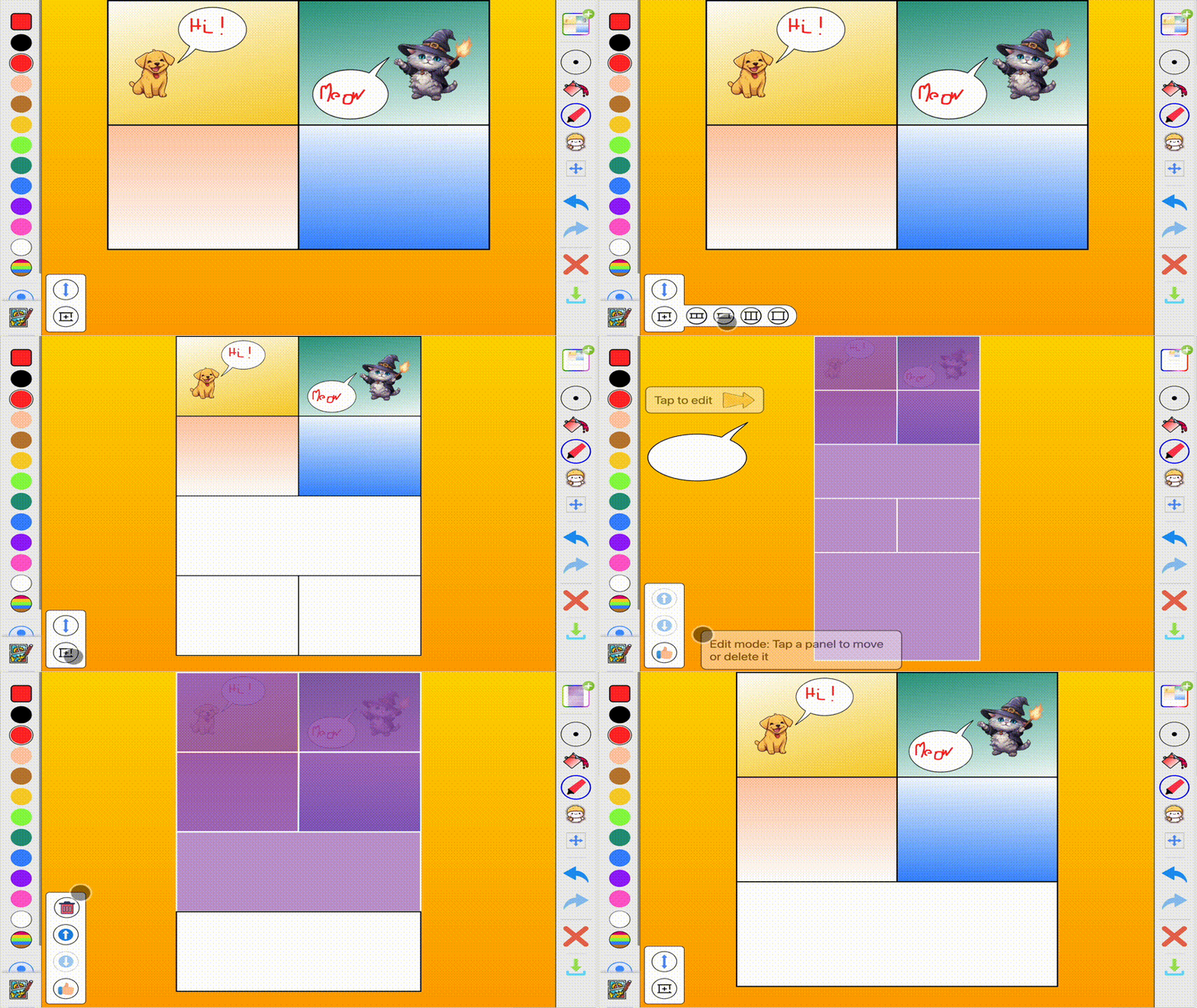
Share your masterpiece
When your comic is finished it saves automatically, so you can come back and add more pages any time. You can also export it as an image to print out or share with family and friends.
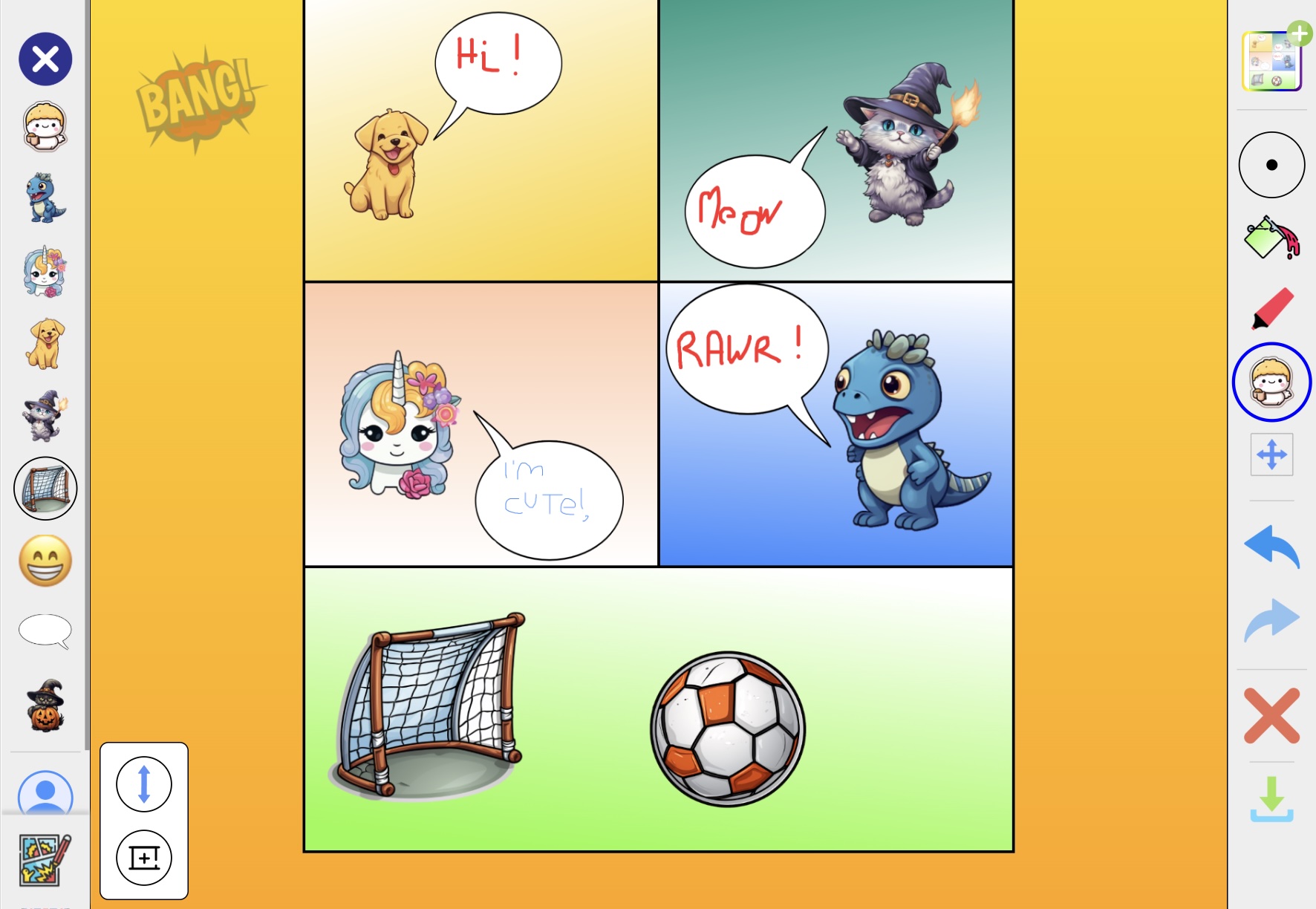
So go on, grab your imagination and start telling stories. I can't wait to see the adventures you create!